Linux RAG answers Linux questions from kernel docs, man pages and source, as described in the earlier post. When you are logged in as admin, each question also reads live server data at the moment you ask. Public visitors never see any of it. The code is public.
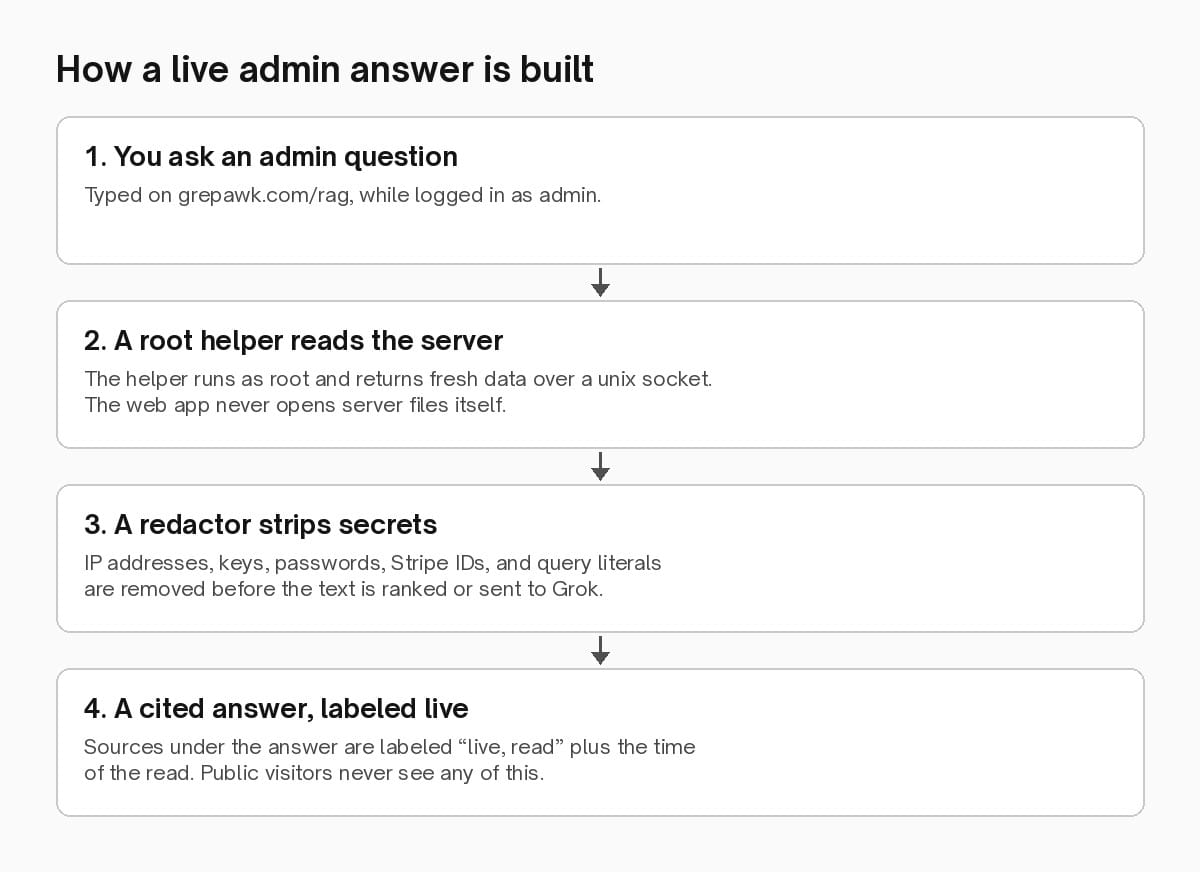
What the live server data covers
Each admin question can pull a fresh copy of:
- nginx configs, plus access and error log tails with 5xx and upstream summaries
- read-only MySQL status: global status, processlist, InnoDB, and table sizes
- server health: load, memory, disk, failed units, OOM kills, and certificate expiry
- journal warnings from the last hour
Paths and limits are set in the public sample.env in the repo.
A small root helper does the reads over a unix socket, so the web app never opens server files itself. Everything goes through a redactor first: IP addresses, keys, passwords, Stripe IDs, and query literals are stripped before the text is ranked or sent to Grok. Sources under the answer are labeled live, read plus the time of the read. If the helper is down, the hourly admin index is used instead.
Three admin questions
I asked: "Is MySQL slow right now?" The answer found one active query and only idle sleepers.
I asked: "Why is nginx returning 502?" It traced one 502 on a health-check route to a connect() refused from the upstream.
I asked: "What does nginx proxy /rag/ to?" It quoted the location block.
Try it
Open Linux RAG. Public questions still use the same docs, man pages and source as before. Live server reads stay on the admin path. The source is at yishengjiang99/linux-rag.