FinalCap is a video editor driven by chat video editing: you type "trim the first clip to the good part, caption it, and put music under it", and the edit happens. This post explains the split that makes that work. A language model plans the edit as a sequence of tool calls. The client, meaning the iOS app or the browser tab, executes those calls against the real media and renders the result. The model never touches a video file, and the server never renders what the client can render itself.
Chat video editing starts with a snapshot
When you send a message, the client does not upload your video for planning. It sends a snapshot of the project: the clips in order, each with its source range, trim, speed and effects, plus playhead position and what is muted. The snapshot is a few kilobytes of JSON, so a turn starts fast and the model can answer questions from it directly. How long is the second clip. Which clips have captions. What plays at second twelve.
The media stays where it is until a tool needs it, and most tools need only the snapshot and one clip.
One schema, two executors
The editing tools are declared once, on the server: just over thirty of them, covering trim, split, speed, crop, effects, captions, translation, soundtrack and timeline operations. Each client implements the same tool names in its own engine. On iOS the executors are Swift code calling AVFoundation. In the browser they call our FFmpeg build running in WebAssembly.
Before anything runs, the server validates each call against the schema and the snapshot. A call that names a tool the client does not have, or a clip that is not in the project, is rejected with the reason, and the model plans again with that information.
Each tool can also carry a minimum and maximum app build. That gate is how a new tool rolls out to newer builds first, and how a broken tool gets retired from the server side without waiting for an app update. After every deploy, a check compares the schema being served with the one the shipped clients were built against. Drift stops the deploy.
A turn is a loop with a budget
One message is rarely one tool call. The trim, caption, translate and soundtrack request above takes four tools, and later calls depend on the state earlier calls produced. So a turn is a loop: plan, execute on the client, report the results and the new snapshot, plan again. The loop is capped at six rounds, which is enough for chained edits and small enough that a confused model cannot run up a long session.
A signed token identifies the turn, and tool charges attach to that token. If a request is retried on a flaky connection, the retry presents the same token and is counted as the same turn, not a second one.
Revisions and idempotency keys keep retries boring
Every timeline edit carries two extra fields: the project revision it was planned against, and an idempotency key. If you trim a clip by hand while the model is still thinking, the revision no longer matches when its plan arrives, and the plan is rejected instead of being applied to a project that has moved on. If a batch of edits is delivered twice, the keys make the second delivery a no-op. A separate batch tool applies several edits as one revision step, so a multi-clip rearrangement lands whole or not at all.
Undo and redo write through to the saved project on every step. An early build of the 1.1 timeline skipped that save on the undo path, and an undone edit quietly came back after relaunch. The fix was one line. Finding it took a code review that traced persistence for every mutation type, which is the kind of bug this design makes possible and then, with the revision checks, makes visible.
Two render engines, one project document
Preview and export read the same project document in both clients.
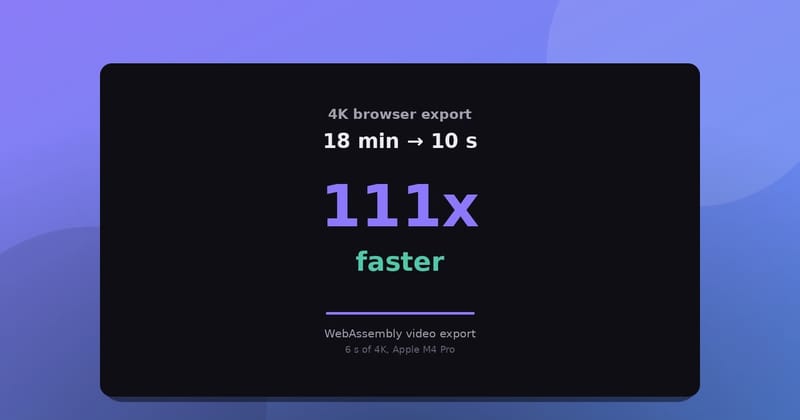
In the browser, rendering runs on the multithreaded ffmpeg.wasm fork described in Making FFmpeg in the browser use every core, with a single-threaded build as the fallback on pages that cannot use shared memory.
On iOS, AVFoundation builds the composition. Projects with transitions render through a custom video compositor that blends frames across the join. Projects that are cuts only take a simpler composition path. During 1.1 testing, exports of multi-clip projects failed inside the render pipeline while preview composed the same project without error. Routing cuts-only projects through the simpler path fixed the exports, and transitions kept the custom compositor, which a device test then confirmed on both preview and export.
Captions are tools in the same loop
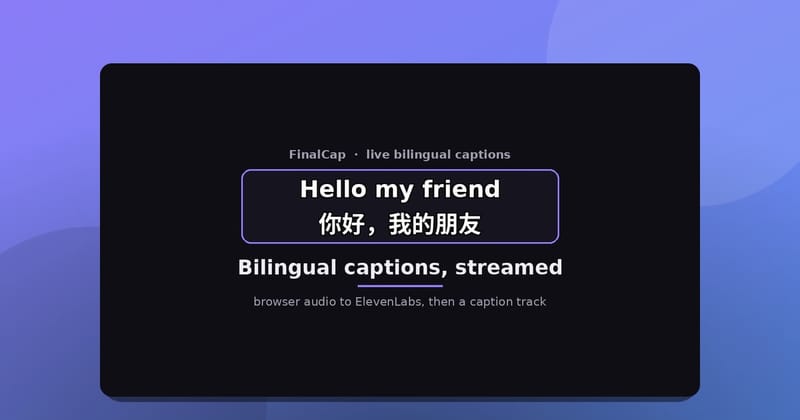
Transcription runs through Whisper and returns word-level timing. The captions become timed entries in the project document, not a file burned in at export. Translation is another tool call over the caption text, which is why "caption it and translate the captions to Chinese" is one message: the second tool consumes the first tool's output inside the same turn. The timeline and caption work shipped together in 1.1 and are covered in FinalCap for iPhone adds a timeline and Chinese captions.
Because captions live in the document, they follow later edits. Move a clip and its captions move. Export and the captions are rendered from the same entries the preview showed.
What this design costs
The schema is a contract, and contracts are work. Changing a tool means changing the server declaration, both client executors, and keeping the deploy check green. Three implementations of one idea drift if you let them.
The model plans against a snapshot that can go stale mid-turn. Revisions catch that, but the result is a rejected plan and a retried turn, which the user sees as a pause.
Some work still needs a server. Fetching a soundtrack, billing, and transcription all happen there. And a malformed snapshot fails the whole turn rather than applying half of it. That is the right failure mode for an editor, and it is still a failure mode.
The split is worth it for one reason: the rendering stays next to the media, on hardware the user already owns, while the planning stays next to the model. Chat is just the part the user sees.
FinalCap is on the App Store and on the web at grepawk.com.